Every website owner has had that moment of dread: someone messages you to say your site is down, and you have no idea how long it has been that way.
By the time you notice, you have already lost visitors, customers, or worse, revenue. This is the exact problem DNS failover is built to solve,
and if you have never looked into it, you might be more exposed than you think.
 What is DNS failover?
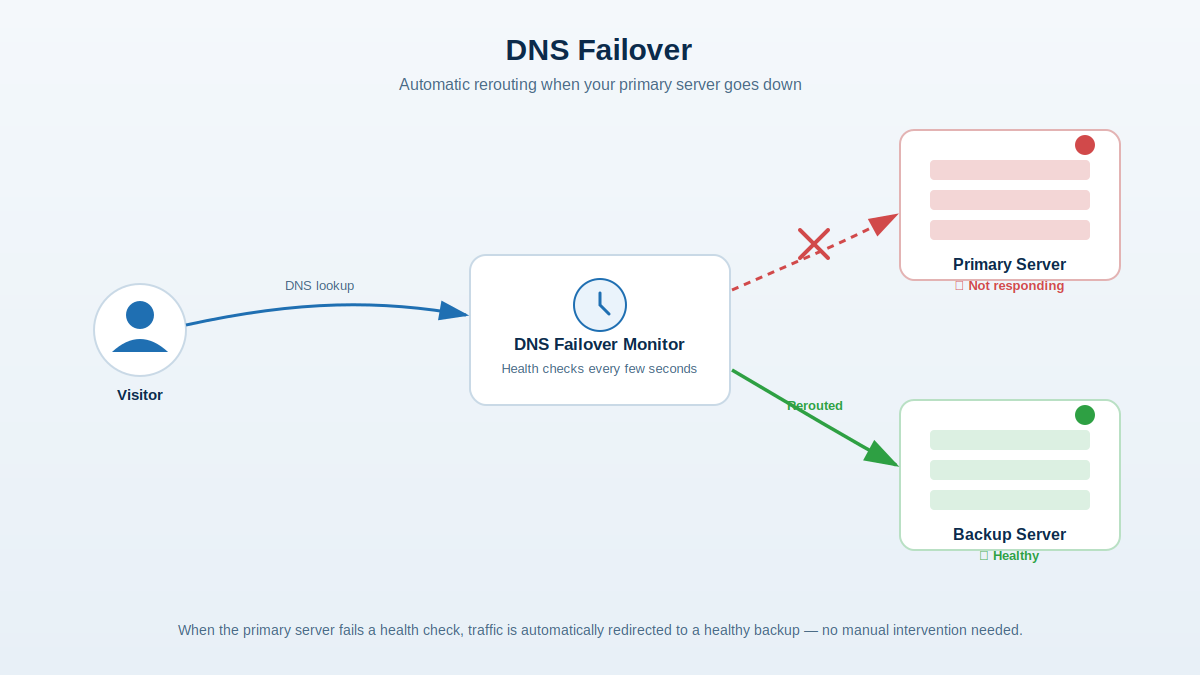
DNS failover is a system that continuously monitors your server or website and automatically reroutes traffic to a backup server
the moment it detects a problem. Instead of relying on a single server that becomes a single point of failure, you configure one
or more backup destinations. If your primary server stops responding to health checks, DNS failover updates your DNS records to
point visitors to the backup instead, often within seconds to minutes depending on your configuration.
Think of it as an automatic detour sign. When the main road is blocked, traffic gets redirected before anyone even notices there
was a problem.
How does it actually work?
At a basic level, DNS failover relies on three things working together:
- Health monitoring — the system regularly checks whether your primary server is up, usually by pinging it or requesting a specific URL and confirming it responds correctly.
- Failure detection — if the primary server misses a set number of checks in a row, it is marked as down.
- Automatic DNS updates — once a failure is confirmed, the DNS record is updated to point to a healthy backup server, and traffic starts flowing there instead.
Most services also monitor the backup and will switch traffic back to the primary once it is confirmed healthy again, so you do not
have to manually flip anything back yourself.
DNS failover vs. redundancy you already have
A lot of people assume that because their hosting provider offers some uptime guarantee, they are already covered. But hosting-level
redundancy usually only protects you from hardware failures within that provider's infrastructure. It does nothing if:
- Your hosting provider itself has a regional outage
- Your application crashes or hangs (the server is "up" but not actually serving pages)
- You want geographic redundancy across completely different providers or regions
- Your database or backend dependency goes down, even if the web server is technically fine
DNS failover works independently of any single host, which is exactly why it catches problems that provider-level redundancy can miss.
Do you actually need it?
Not every website needs DNS failover, but a few signs suggest it is worth setting up:
- Downtime costs you money. If you run an e-commerce store, a SaaS product, or anything where visitors expect the site to always be reachable, even a short outage adds up fast.
- You've been burned before. If you've had an outage where you found out from a customer instead of a monitoring alert, that's a strong signal.
- You depend on a single server or region. If everything you run sits behind one IP address with no backup path, you have a single point of failure.
- Your reputation depends on availability. Even a brief "site can't be reached" screen can shake trust, especially for businesses where visitors are comparing you to competitors in real time.
On the other hand, if you are running a personal blog or a low-traffic hobby project where a few minutes of downtime is not a big deal,
DNS failover is a nice-to-have rather than a must.
Getting started
The good news is that setting up DNS failover does not require rearchitecting your infrastructure. You typically just need:
- A primary server and at least one backup server (even a small VPS works)
- A monitoring configuration that checks the health of your primary server at a reasonable interval
- DNS records configured to automatically update when a failure is detected
Once it is in place, it just runs quietly in the background, doing its job so you do not have to find out about outages the hard way.
Dynu offers 3 free monitors and failover, so you can start protecting your website without any upfront cost.
Sign up today and see how easy it is to keep your site online




 What is DNS failover and ...